
Best budget wireless earbuds for work usually come down to three things you notice fast in an office: microphone quality on calls, comfort for long stretches, and how well they tame background noise without making you feel “sealed off.” If you buy based on hype specs alone, you can end up with earbuds that sound fine for music but make you muffled on Zoom.
This guide is built for real office routines, back-to-back meetings, Slack pings, coffee runs, and the occasional open-plan chaos. I’ll break down what matters, what to ignore, and how to pick a pair that feels boring in the best way: it just works.

One more reality check: “budget” means trade-offs. You can get strong value in 2026, but you’ll still want to choose which pain you refuse to accept, call clarity, comfort, or noise control. The good news is you can decide that in five minutes if you know what to look for.
What “office-ready” really means (and what it doesn’t)
For office work, earbuds are less about big bass and more about predictable performance in boring situations. Here’s what tends to matter most.
- Microphone + voice processing: You want your voice to cut through HVAC hum and keyboard clicks without sounding robotic.
- Comfort + stability: If the fit is slightly off, you’ll keep readjusting, and that gets old by meeting #2.
- Reliable connection: Dropouts during calls feel worse than aveRAGe sound quality.
- Battery that matches your day: A long total battery matters, but so does quick top-up in the case.
- Active noise canceling (ANC) that matches your environment: In many offices, mild-to-moderate ANC is enough; max ANC isn’t always comfortable for hours.
What it doesn’t mean: you don’t need “audiophile” tuning, ultra-high-res codecs, or the most aggressive ANC on the market. Those features can be nice, but they’re not the reason most people replace their work earbuds.
Quick picks table: match your workday to the right type
Instead of pretending there’s one universal winner, this is a more honest way to shop. Use it like a routing table: find your day, then shop within that lane.
| Work scenario | Priority feature | What to look for in listings | Typical compromise |
|---|---|---|---|
| Open office, frequent calls | Mic clarity | “noise reduction for calls,” multiple mics, sidetone | ANC may be only average |
| Home office with occasional noise | Comfort + stable connection | Multipoint, lightweight buds, proven Bluetooth version | Less premium transparency |
| Hybrid commute + office | ANC + wind handling | ANC modes, wind noise reduction, secure fit | Case might be bulkier |
| Long deep-work blocks | Battery + comfort | 6–10 hr per charge, multiple ear tips, low pressure fit | Less punchy sound |
| Lots of device switching | Multipoint + app control | “dual device,” app EQ, firmware updates | Controls can be finicky |
Key takeaway: if your day includes multiple meetings, don’t let ANC be the headline feature. Prioritize call performance first, then comfort.
Why budget earbuds often fail at work (common pain points)
Most “not good for work” complaints cluster around the same issues, and they’re usually not fixable with a settings tweak.
- Voice sounds distant or compressed: Budget call processing can over-filter, especially with background noise.
- Comfort fades after 45–60 minutes: Heavy shells, shallow nozzles, or the wrong ear tip size can create pressure points.
- Transparency mode feels unnatural: Some pass-through mics add hiss, which becomes tiring in an office.
- Touch controls trigger by accident: Hair, hoodies, or simply adjusting the fit can pause calls or change modes.
- Multipoint is missing or unstable: Switching between laptop and phone becomes a daily annoyance.

According to FCC, Bluetooth devices operate under specific rules to reduce interference, but real-world performance still varies by environment, device pairing, and antenna design, so “Bluetooth version” alone won’t guarantee stability.
A practical self-check before you buy
If you answer these quickly, you’ll know which specs matter for you, and which are just marketing.
- How many hours of calls per day? If it’s 2+ hours, mic quality and comfort matter more than max ANC.
- Where do you sit? Near a loud HVAC vent or kitchen area often needs better ANC and better call noise reduction.
- Laptop meetings or phone calls? Laptop calling is less forgiving; you’ll want stable pairing and solid mic pickup.
- Do you switch devices often? If yes, prioritize multipoint or at least fast switching behavior.
- Do earbuds irritate your ears? You’ll want lighter buds, more tip sizes, and less “plugged” pressure.
If you’re shopping for best budget wireless earbuds for work because you’re tired of repeating yourself on calls, put “call noise reduction” and “sidetone” above anything related to codecs. Codecs are real, but they rarely fix the work-call problem.
What to prioritize in 2026: a simple feature checklist
Here’s the shortlist I’d use if I had to buy office earbuds quickly, without over-researching.
1) Call performance (more than “4 mics”)
- Look for: clear voice pickup in reviews, call-focused modes, adjustable sidetone.
- Be skeptical of: mic counts without call samples, “AI noise cancelling” claims with no specifics.
2) Fit system that matches your tolerance
- Silicone tips: better passive isolation and steadier bass, but can create pressure over time.
- Semi-open designs: often more comfortable and natural for office awareness, but weaker isolation.
- Ear wings: great for stability if you move a lot, though some people dislike the feel.
3) Controls you won’t hate
- Physical buttons reduce accidental taps, many people prefer them for meetings.
- If touch controls, look for tap lock or customizable gestures in the app.
4) Battery, but in the way office users feel it
- Per-charge battery of 6–8 hours usually covers a workday chunk.
- Fast charging matters more than huge totals if you forget to charge.
5) Multipoint (nice) vs. single-point (workable)
Multipoint is genuinely useful if you take calls on your phone but live in meetings on your laptop. If you rarely switch, you can skip it and put budget into comfort or mic performance.
Setup steps that make budget earbuds work better (real-world fixes)
You can squeeze noticeably better results out of midrange earbuds with the right setup. Not glamorous, but it helps.
- Update firmware in the companion app if available, call processing and stability updates are common.
- Pick the right ear tip size, the “best” size is the one that seals without pressure. If you feel heartbeat thump, try a smaller tip.
- Enable sidetone if the app offers it, hearing a bit of your own voice reduces shouting on calls.
- Set one-ear mode for quick conversations, many offices work better with one ear open.
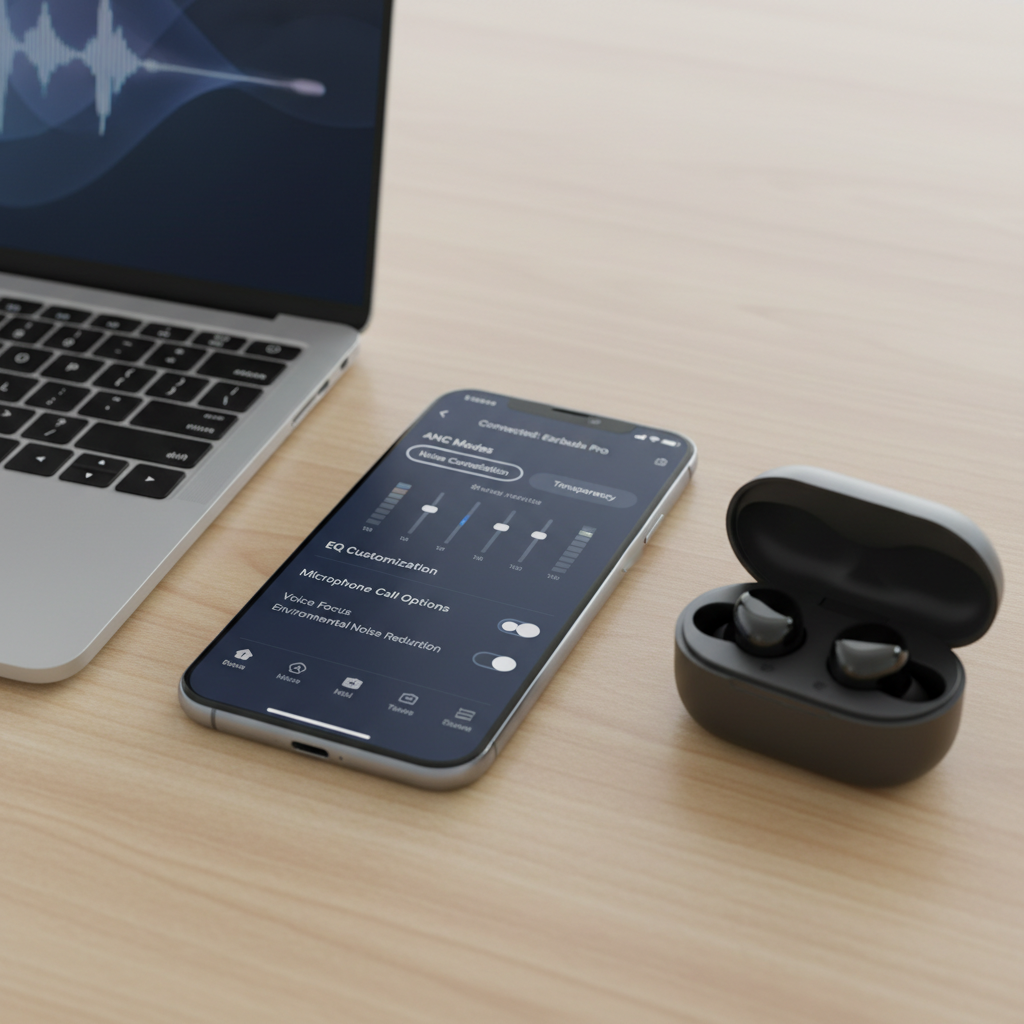
- On Windows/macOS, select the earbuds’ main audio profile for meetings if available, and avoid “hands-free” low-quality modes when not required.
According to OSHA, workplace noise exposure can be a safety concern in some environments; if you work around hazards or need to hear alarms and announcements, consider using transparency mode or keeping one earbud out, and follow your workplace policy.
Common mistakes buyers make (so you don’t)
A lot of wasted money comes from reasonable assumptions that don’t hold up at a desk.
- Over-buying ANC and under-buying mic quality: You hear less noise, but your coworkers hear more of it.
- Ignoring comfort because “I’ll get used to it”: Sometimes you do, but often you just stop wearing them.
- Assuming “low latency” helps meetings: Calls are two-way; mic processing and stability matter more than gaming latency.
- Choosing the smallest case over the best fit: If the buds don’t fit, the case size becomes irrelevant fast.
- Not testing in your real apps: Teams, Zoom, Meet, and Slack can behave differently with Bluetooth profiles.
Conclusion: how to choose the right budget pair for office work
If you’re shopping for best budget wireless earbuds for work in 2026, aim for “boring reliability”: clear calls, comfortable fit, stable connection, and a transparency/ANC setup that matches your office. That combination beats fancy codec talk almost every time in day-to-day work.
Two action steps that usually save the most regret: pick a model with a strong return policy so you can test call quality in your actual meeting apps, and spend five minutes dialing in fit and sidetone after setup. Those small moves often make a budget option feel like an upgrade.
FAQ
What matters most for office calls: ANC or microphone quality?
Microphone quality usually matters more. ANC helps you focus, but if your voice processing is weak, coworkers still hear the room and you sound thin or distant.
Are semi-open earbuds bad for work?
Not necessarily. Many people prefer them in offices because they feel natural and reduce pressure, but they won’t block as much noise, so they’re better for quieter spaces.
How can I tell if earbuds will sound good on Zoom or Teams?
Look for reviews that include call samples or specific notes about conferencing apps. If that’s missing, buy from a retailer with easy returns and test in your real setup.
Do I need multipoint for work?
Only if you switch between laptop and phone during the day. If you mainly live on your laptop, single-device performance and mic clarity are higher value.
Why do my earbuds switch to low-quality audio during meetings?
Some systems switch Bluetooth profiles to support the microphone, which can reduce music quality. It’s normal behavior; updating drivers/firmware sometimes helps, but not always.
Is wearing earbuds all day safe?
It depends on volume and comfort. Keeping volume moderate and taking short breaks is a reasonable approach; if you have ear discomfort or hearing concerns, consider asking a clinician.
What’s a realistic budget for good work earbuds in 2026?
Budget means different things, but many solid work-focused options sit in the “affordable but not ultra-cheap” tier. Ultra-low prices can work, yet call performance and fit consistency vary a lot.
If you want the fastest path to a good pick
If you’re trying to choose quickly, start by ranking your day as “call-heavy,” “focus-heavy,” or “commute-heavy,” then filter for the features that match that lane. That approach usually beats chasing one supposedly perfect model, especially when you’re buying on a budget.