
AI infrastructure and compute trends for 2026 are less about chasing the newest model and more about surviving real constraints: GPU access, power density, networking, and the cost of serving inference at scale.
If you run AI platforms inside a U.S. company, you probably feel the squeeze from multiple sides. Finance wants predictability, product teams want faster iteration, and security wants fewer vendors and clearer controls. Meanwhile, compute markets stay volatile and hardware roadmaps keep changing.
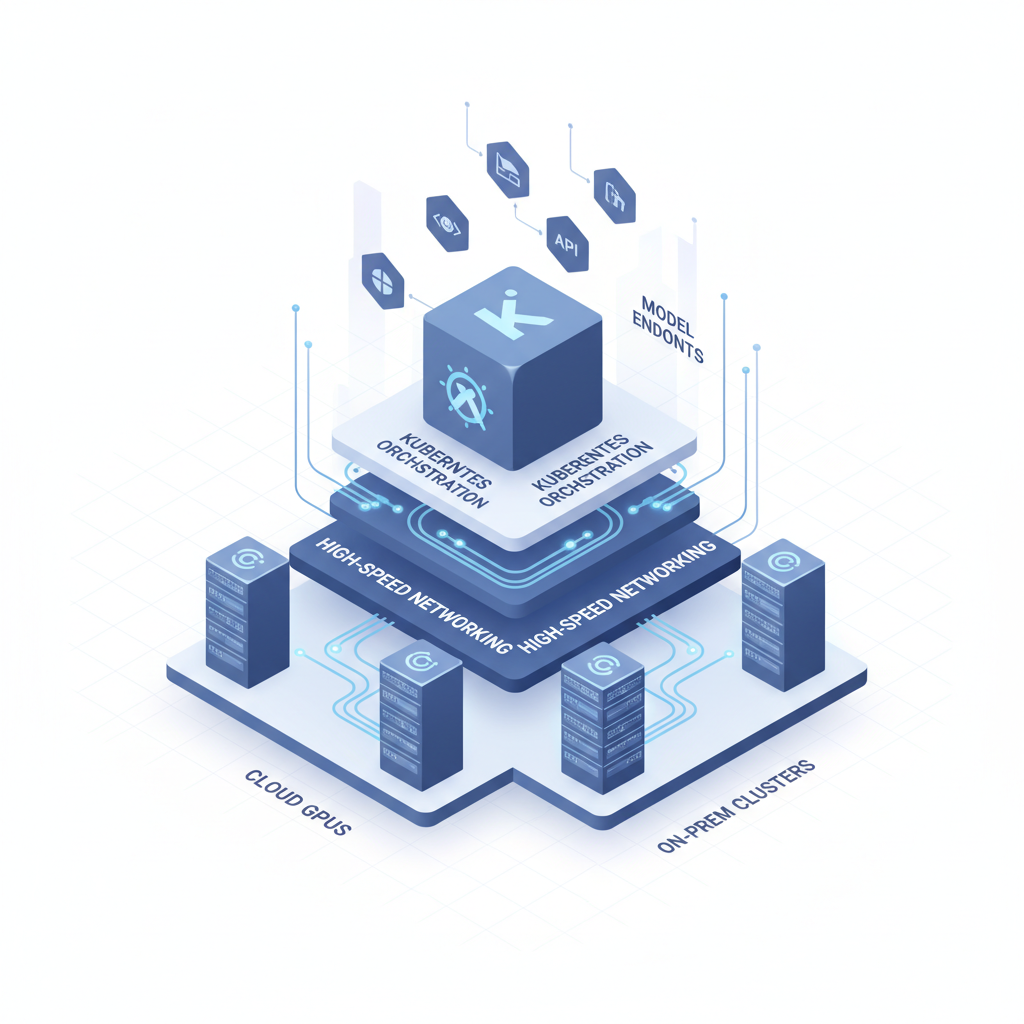
This guide focuses on what U.S. teams should actually watch in 2026 and how to turn those signals into decisions. We will cover cloud GPU pricing, enterprise AI workload scaling, high-performance computing for AI, and the less glamorous topics that usually become the bottleneck: power, cooling, and networking.
Key takeaways: expect more divergence between training and inference stacks, more pressure to prove unit economics, and more architectural choices that look “infrastructure-y” but directly affect product latency and reliability.
1) Cloud GPU pricing will stay messy, so plan around variability
Cloud GPU pricing is unlikely to become simple in 2026. Between reserved capacity, spot markets, regional constraints, and “special access” programs, two teams can quote wildly different numbers for the same SKU, then wonder why the budget review turns tense.
According to AWS, capacity and pricing options vary across On-Demand, Savings Plans, and Spot, and each has different availability characteristics. In practice, that means you need a purchasing strategy, not just a preferred instance type.
What tends to drive surprises
- Regional scarcity for specific GPU families, forcing workload migration or queueing.
- Egress and storage costs that quietly exceed compute for data-heavy pipelines.
- Interruptions on preemptible/spot capacity, which can break training unless your stack is resilient.
Practical moves U.S. teams can make
- Separate “elastic” from “guaranteed” demand: keep baseline inference on committed capacity, burst experiments onto spot.
- Use price-per-effective-token (or price per successful training step) instead of hourly GPU cost alone.
- Negotiate around outcomes: capacity commitments tied to uptime, queue time, and specific regions often matter more than list price.
2) Enterprise AI workload scaling: the hard part is orchestration, not “more GPUs”
Enterprise AI workload scaling often fails in the middle layer: scheduling, data access, reproducibility, and guardrails. Teams buy accelerators, then discover their pipelines spend too long waiting on data, approvals, or cluster contention.
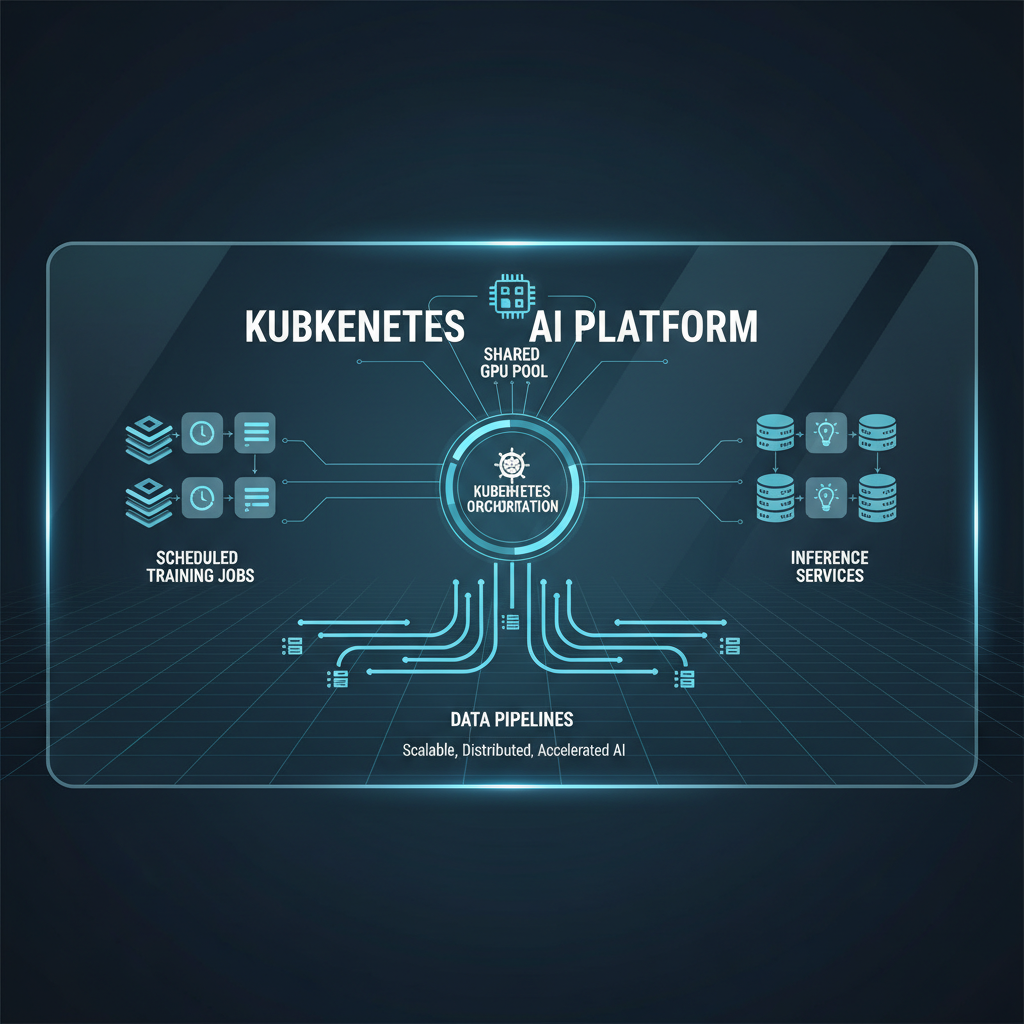
In 2026, more platform teams will standardize on Kubernetes for machine learning platforms, but the value is not “Kubernetes itself.” The value is repeatable deployment, better isolation, and policy enforcement across many teams.
Scaling friction points that show up repeatedly
- GPU fragmentation: many small jobs strand capacity, while large jobs starve.
- Noisy neighbors: shared clusters cause unpredictable throughput and missed deadlines.
- Data locality: training reads saturate storage or cross-region links.
What to implement (even if you keep it simple)
- Queueing and priority classes that reflect business impact, not whoever shouts loudest.
- Golden paths for training and deployment: a few supported patterns beat 20 half-working ones.
- GPU-aware scheduling: bin-packing rules, topology awareness, and quotas per team.
3) High-performance computing for AI: training will demand better networking than most enterprises expect
High-performance computing for AI stops being optional once you do large distributed training or frequent fine-tuning at scale. The ugly truth: many “GPU clusters” underperform because the network cannot keep up, not because the GPUs are slow.
Distributed training networking bottlenecks usually come from a mismatch between model parallelism strategy and the actual fabric. If your all-reduce traffic contends with storage, telemetry, and east-west service calls, throughput collapses in ways that look like “random instability.”
Signs your network is the limiter
- Training speed does not scale linearly past a small node count.
- GPU utilization drops during synchronization phases.
- Retries/timeouts spike when you increase batch size or node count.
2026-ready guidance
- Benchmark the whole system, including storage and interconnect, before you buy more nodes.
- Pick a parallelism plan (data vs tensor vs pipeline) that matches your fabric reality.
- Segment traffic where feasible so training collectives do not compete with everything else.
4) Data center power and cooling for AI will gate projects (even in cloud-adjacent plans)
Data center power and cooling for AI has moved from facilities trivia to executive risk. Even if you are “cloud-first,” many enterprises still rely on colocation, private connectivity, edge sites, or hybrid clusters, and power density constraints can delay deployments.
According to the U.S. Department of Energy, data center energy use and efficiency remain a major planning topic, and high-density compute increases the importance of cooling and power delivery design. For AI teams, that translates into longer lead times and tighter capacity planning.
What changes how you plan
- Rack density can jump faster than facility upgrades can keep up.
- Cooling design (air vs liquid) affects what hardware you can realistically deploy.
- Utility timelines and permitting can become the long pole, not procurement.
How platform teams can reduce surprises
- Bring facilities and colo partners into AI roadmap reviews early, not after model commitments.
- Model capacity in kW per rack and kW per cluster, not just “number of GPUs.”
- Keep a contingency path in public cloud for peak training runs, even if steady-state stays on-prem.
5) AI accelerator chip roadmap: expect heterogeneity and more hard choices
The AI accelerator chip roadmap in 2026 will push more teams into mixed fleets: multiple GPU generations, different memory sizes, and sometimes non-GPU accelerators for specific inference workloads. This is not inherently bad, but it punishes sloppy software portability.
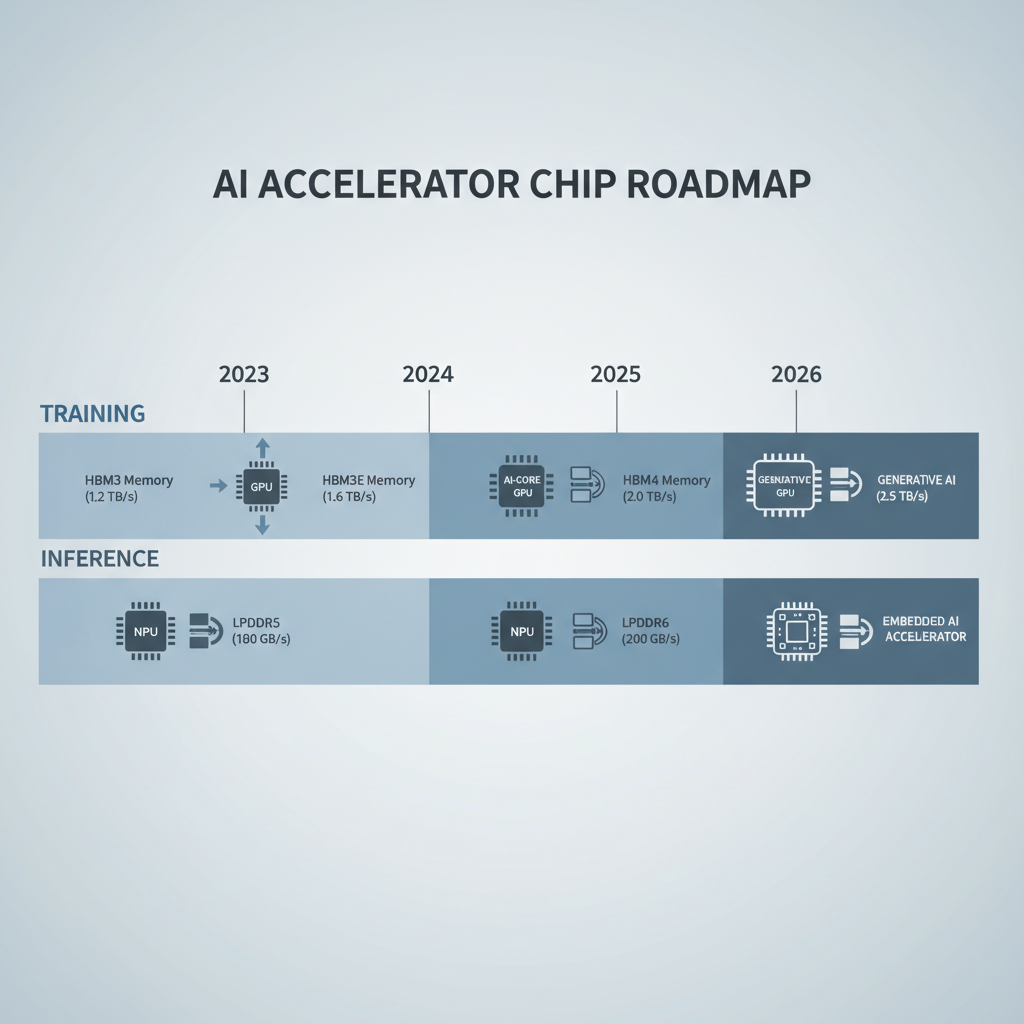
According to NVIDIA, accelerator platforms increasingly pair compute with high-bandwidth memory and specialized interconnects, which is great for performance but can tighten your dependency on specific ecosystem choices. The lesson: your “hardware strategy” is also a “software tooling strategy.”
What to watch when evaluating new accelerators
- Memory bandwidth and capacity relative to your model sizes and batch patterns.
- Compiler/runtime maturity and debugging tooling, especially for production inference.
- Operational fit: monitoring, drivers, kernel updates, and security patch cadence.
6) Inference optimization at scale: latency becomes the product, not a metric
Inference optimization at scale is where many 2026 budgets will go, because usage keeps rising and customers notice latency immediately. AI model serving latency is not just about model size, it is also batching, cache strategy, routing, and how you handle long-tail prompts.
According to Google Cloud, performance and cost optimization for serving often involves batching, model optimization techniques, and right-sizing infrastructure. The same idea applies across vendors, but implementation details matter.
Serving patterns that usually pay off
- Split serving tiers: fast small models for “default,” larger models for “escalation.”
- Dynamic batching with strict latency budgets, so you gain throughput without spiky tail latency.
- KV cache reuse and prompt caching where policy allows, especially for repetitive workflows.
- Model compilation/quantization for eligible workloads, validated carefully for quality drift.
7) Multi-cloud compute strategy: treat it as a resilience and leverage play, not a checkbox
A multi-cloud compute strategy makes sense when it reduces risk you actually have: capacity scarcity, regional exposure, vendor lock-in, or compliance needs. It becomes expensive theater when teams replicate everything everywhere without workload-based intent.
What “good” multi-cloud looks like in 2026
- Portability at the platform layer: containerized training jobs, standardized artifact storage, and consistent identity patterns.
- Selective duplication: only the parts that must fail over get engineered for failover.
- Commercial leverage: credible optionality can improve capacity commitments and support terms.
Practical checklist: decide what to fix next quarter
If you need a quick way to prioritize, use this as a self-test. You do not need perfect scores, you need clarity on where you are bleeding time or money.
- Cost clarity: can you estimate cost per 1,000 requests (or per million tokens) within a reasonable error band?
- Capacity: can you get GPUs in the regions you must run in, without heroic escalation?
- Scaling: do new training runs require manual cluster babysitting?
- Latency: do you track p50/p95/p99 and know what drives the p99 tail?
- Networking: do you have evidence your distributed training is network-bound or compute-bound?
- Reliability: can you degrade gracefully when a premium model tier is unavailable?
Quick comparison table: what to optimize based on your workload
This table is intentionally opinionated. Many organizations run all three workload types, but usually one dominates costs or customer impact.
| Workload focus | Main constraint | What to prioritize | Common mistake |
|---|---|---|---|
| Large-scale training | Networking + GPU availability | Fabric benchmarking, parallelism strategy, reserved capacity | Buying more GPUs before validating the interconnect |
| Frequent fine-tuning | Pipeline throughput + scheduling | Kubernetes policies, data locality, reproducible environments | Letting every team invent its own workflow |
| High-volume inference | Latency + unit economics | Tiered serving, batching, caching, quantization with QA | Optimizing average latency while ignoring p99 |
Closing: what U.S. teams should do with these trends
The most useful way to read AI infrastructure and compute trends for 2026 is to ask: what will block delivery even if the model is “good enough”? For many teams, the answer is some mix of GPU supply, power and cooling constraints, and inference economics that look fine in a demo but fall apart at production traffic.
Pick two actions for the next 30 days: document your real cost per unit of inference, and run an end-to-end benchmark that can tell you whether you are compute-bound, network-bound, or data-bound. Those two numbers tend to make the rest of the roadmap conversation much less emotional.
If you want a simple internal rallying point, align stakeholders around one north-star metric per workload type: time-to-train for research, time-to-ship for platform, and p99 latency per dollar for production.