
Tech updates can feel nonstop in 2026, and for most US businesses the real problem is not missing news, it’s wasting time on the wrong news. You do not need to chase every gadget launch or every app changelog, you need a filter that ties technology decisions back to revenue protection, productivity, compliance, and customer experience.
What actually matters tends to look boring: tighter cybersecurity updates, fewer-but-better software updates, more disciplined cloud computing updates, and AI updates that move from experimentation to controlled, measurable use. Meanwhile, technology news cycles still push plenty of shiny distractions that rarely change outcomes for a finance team, a regional retailer, a logistics operation, or a 50-person services firm.

This guide sorts IT industry updates into practical buckets, with a quick self-check, a decision table you can reuse, and a simple operating rhythm for tracking smartphone update news, firmware update alerts, and app update announcements without becoming a full-time curator.
What changed in 2026: the themes behind the headlines
Most technology news in 2026 fits into a handful of themes that show up across vendors, even when the marketing language differs. If you align your internal priorities to these themes, you can ignore a lot of noise without feeling irresponsible.
- AI becomes operational: more AI updates target governance, evaluation, and integration with existing workflows, not just new chat features.
- Security pressure rises: more frequent patch cycles, more supply-chain scrutiny, and more expectation that leaders can explain their risk posture in plain English.
- Cloud cost scrutiny: cloud computing updates increasingly focus on cost controls, data residency, and simplifying hybrid setups.
- Endpoints stay messy: smartphone update news, laptop firmware, browser changes, and identity controls keep colliding, especially in BYOD environments.
According to NIST, organizations should treat cybersecurity risk as a business risk and manage it continuously, not as a one-time compliance exercise. That framing helps when you decide which software updates deserve same-day action and which can wait for a monthly window.
A quick triage table: what matters vs what’s mostly noise
If your team needs a fast way to categorize gadget releases, app update announcements, and IT platform changes, use this table as a first pass. It does not replace vendor guidance, but it keeps meetings from spiraling.
Use this rule of thumb: if an update changes your risk surface, your costs, or your ability to deliver, treat it as important. If it mainly changes interface polish, treat it as backlog unless a department asks for it.
| Update type | Usually matters when… | Action window | Owner |
|---|---|---|---|
| Cybersecurity updates | Actively exploited vulnerability, identity/auth changes, firewall/EDR rule updates | Hours to days | IT + Security lead |
| Software updates (core systems) | Accounting/CRM/ERP changes, breaking API changes, billing/reporting impacts | Days to weeks | App owner + IT |
| Cloud computing updates | Pricing model changes, data residency, deprecations, new monitoring controls | Weeks to months | Cloud/Infra owner |
| AI updates | New data usage terms, admin controls, audit logs, model changes affecting outputs | Days to weeks | Security + Legal/Compliance + Business owner |
| App update announcements (end-user) | SSO changes, permissions changes, mobile device management conflicts | Weeks | IT Helpdesk |
| Gadget releases | Fleet refresh cycles, warranty/repair savings, security baselines for new OS | Quarterly planning | IT + Finance/Procurement |
| Firmware update alerts | Routers, firewalls, printers, IoT devices with known vulnerabilities | Days | IT/Security |
Where US businesses feel tech friction most (real-world patterns)
The same complaints show up across industries, even when budgets differ. These are common reasons tech updates feel painful, and they are usually solvable with process more than heroics.
- Patch work competes with revenue work, so teams postpone until a scare forces overtime.
- No clear owner per system, meaning software updates float around until something breaks.
- Shadow IT expands, especially for AI tools and collaboration apps, and then security reviews start too late.
- Vendor churn creates tool overlap, so app update announcements become impossible to track.
- Endpoint sprawl makes smartphone update news and OS timelines feel like a moving target.
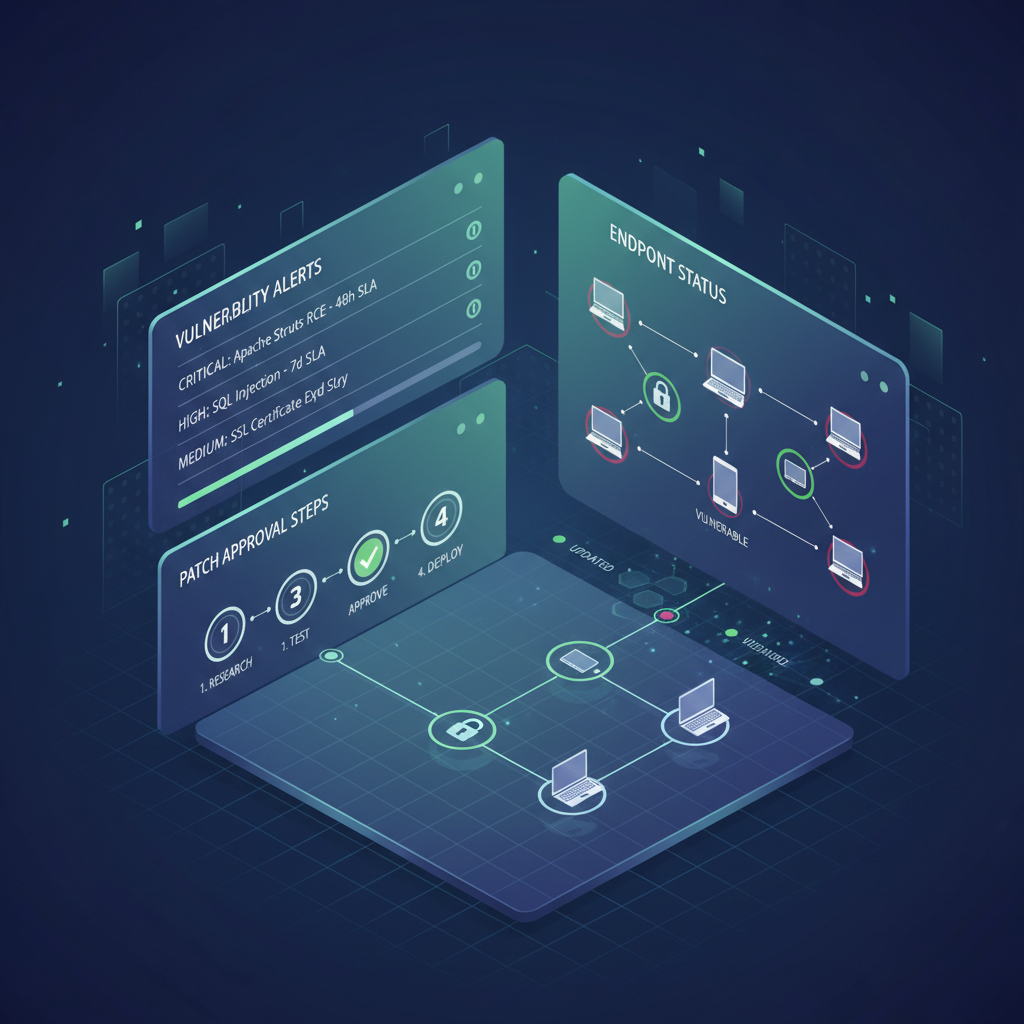
According to CISA, timely patching and vulnerability management are core defenses against common attack paths. In practice, that means your update process matters at least as much as your tool choices.
Self-check: which “tech updates” profile are you?
This is the fastest way to pick a plan that fits your reality. Many teams sit between categories, but even naming your dominant pattern helps.
1) “We are reactive”
- Updates happen after incidents, audit findings, or vendor end-of-life notices.
- No consistent maintenance window, lots of exceptions.
2) “We are schedule-driven”
- Monthly patch day exists, but emergency cybersecurity updates still cause stress.
- Cloud and SaaS changes surprise business owners.
3) “We are risk-driven”
- Clear severity tiers, owners, and rollback plans.
- AI updates reviewed for data handling and permissions before broad rollout.
If you cannot quickly answer “who owns this system” for your top 10 apps, you are likely in the reactive camp even if you patch frequently.
Practical playbooks for 2026 (by update category)
You do not need a new committee for every stream of technology news. You need lightweight playbooks that tell people what to do when an alert hits Slack, email, or a vendor portal.
Cybersecurity updates: prioritize, patch, prove
- Create a 3-tier severity rule: emergency (same day), priority (7 days), routine (30 days).
- Track what you actually run: a current asset inventory beats a perfect policy that nobody uses.
- Document evidence: change tickets, screenshots, and version logs help with audits and insurance conversations.
According to the FTC, businesses should implement reasonable security practices appropriate to their size and the sensitivity of data handled. If you process payments or store regulated data, consider asking a qualified security professional to review your patch SLAs and logging.
AI updates: treat them like data systems, not toys
- Confirm data usage terms before enabling new AI features inside your core apps.
- Use role-based access, and avoid default-on settings for broad user groups.
- Set evaluation checkpoints: accuracy, bias risk, and escalation paths when outputs affect customers.
Many teams get stuck debating whether AI is “safe” in general. A better question is narrower: where does sensitive data enter, where does it leave, and who can audit what happened.
Cloud computing updates: manage cost and lock-in at the same time
- Watch deprecation notices and managed-service version timelines, those cause surprise outages.
- Tag and allocate costs to departments, otherwise optimization never sticks.
- Design for exit where it counts: backups, identity, and data formats.
According to ISO/IEC 27001 guidance, organizations benefit from formal controls around access, change management, and supplier relationships. Even a simplified version helps when cloud vendors shift features or pricing.
Software updates and app announcements: reduce breakage with staging
- Maintain a small staging environment for core workflows, even if it is partial.
- Subscribe to vendor release channels that match your tolerance, not every beta feed.
- Write “what could break” notes for CRM automations, accounting exports, and API integrations.
The boring win is consistency: a predictable cadence beats “we updated everything last weekend” followed by two weeks of cleanup.
Smartphone update news, firmware alerts, and gadget releases: standardize
- Pick a supported baseline for OS versions and device models, then enforce it via MDM where possible.
- Centralize firmware tracking for network gear, printers, and conference room devices, these often get missed.
- Plan device refresh around security support timelines, not just performance complaints.

If you support field teams, this is where friction shows up fast. A single outdated phone OS can block a critical app update, or trigger an access policy change, and then everyone blames “the app” when the root issue is device hygiene.
An operating rhythm that keeps you informed without doomscrolling
Here is a simple cadence that works for many US SMBs and mid-market teams, and it scales upward. Adjust the frequency based on your risk profile and compliance needs.
- Weekly (30 minutes): review security advisories, firmware update alerts, and any business-critical software updates.
- Monthly (60–90 minutes): run routine patching, review SaaS release notes for permission changes, and retire unused tools.
- Quarterly (half day): reassess cloud spend, device refresh plans, and top AI updates that might change policy.
- Annually: confirm incident response contacts, backups restore tests, and vendor risk reviews for core providers.
Key point: the goal is not perfect awareness, it is predictable execution plus fast response when the risk spikes.
Common traps to avoid (the stuff that wastes time)
- Chasing every gadget release while ignoring lifecycle support, warranty terms, and MDM compatibility.
- Relying on “auto-update” everywhere for core systems, without staging or rollback notes.
- Assuming AI features are just UI changes, some involve new data flows and new permissions.
- Measuring success by “no complaints”, quiet teams may be working around broken processes.
- One channel for all alerts, mixing marketing newsletters with security notices makes urgent items easy to miss.
According to Microsoft Security guidance, identity protection and least-privilege access reduce blast radius when something goes wrong. If you do nothing else this year, tightening admin access and MFA coverage usually pays back quickly.
Conclusion: make tech updates boring, and your business gets stronger
In 2026, the winners are rarely the teams that read the most technology news, they are the teams that run a calm system for sorting tech updates into actions. Put owners on your critical apps, adopt a patch cadence you can defend, and treat AI updates like data decisions, not novelty features.
Do this next: pick your top 10 systems, assign an owner for each, then define your emergency vs routine update windows. If you can do that in one afternoon, the rest of the year gets noticeably easier.